Zendesk
Enterprise customer service platform with self-service portals and knowledge base
Pros
- ✓ Industry-leading customer service platform trusted by 100,000+ businesses
- ✓ Extensive knowledge base with AI-powered article suggestions
- ✓ Massive integration ecosystem with 1,500+ apps
Cons
- ✗ Expensive at scale — per-agent pricing adds up quickly
- ✗ Portal customization requires technical knowledge or Guide Enterprise plan
- ✗ Can be complex to set up and configure for simple use cases
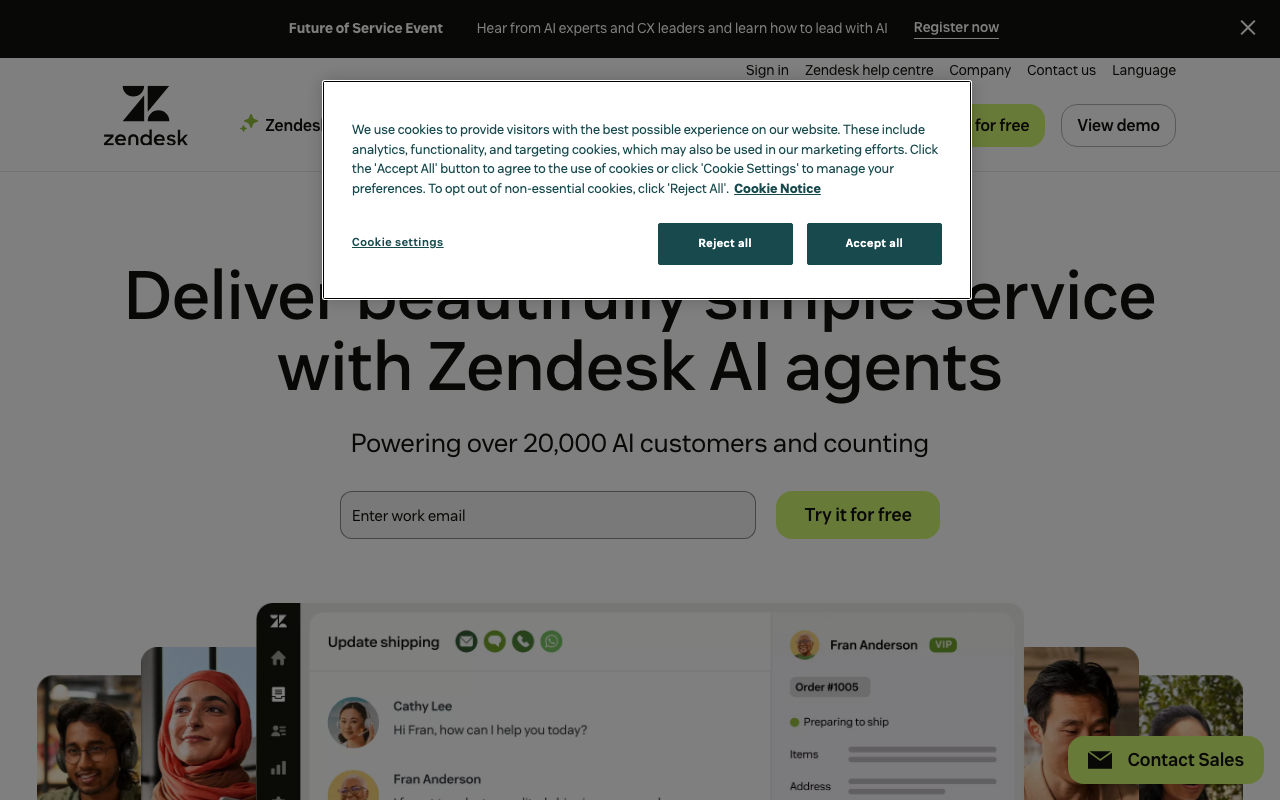
Zendesk is one of the most widely deployed customer service platforms in the world, used by over 100,000 businesses. It's fundamentally a support ticketing and helpdesk system — not a purpose-built client portal — but its help center, customer portal, and self-service features make it relevant for companies that want to combine external support operations with a branded client-facing interface.
What It Actually Is
Zendesk's "client portal" component is built into its help center product: clients can log in, submit tickets, view their ticket history, browse knowledge base articles, and participate in community forums. It functions more as a support hub than a full project or document-sharing portal. If you need file exchange, collaborative workspaces, or onboarding checklists, Zendesk isn't the right fit.
Pricing
Plans are priced per agent per month, billed annually:
- Suite Team — $19/agent/month: Basic ticketing, email, web widget, 1 help center, limited messaging
- Suite Growth — $55/agent/month: Multiple ticket forms, SLAs, up to 5 help centers, multilingual content, CSAT surveys
- Suite Professional — $115/agent/month: Skills-based routing, up to 300 help centers, community forums, custom agent roles, sandbox environment
- Suite Enterprise — $169/agent/month: Customizable workspaces, advanced security, multiple sandboxes, full audit logs
Monthly billing runs significantly higher: $25, $69, $149, and $219 respectively. Several capabilities that look included are actually add-ons: advanced AI agents ($50/agent/mo), Copilot AI assistance ($35/agent/mo), quality assurance ($25/agent/mo), and workforce management ($50/agent/mo). Costs stack up quickly for mid-sized teams.
AI and Automation
Zendesk has invested heavily in AI, and it shows. All plans include basic AI agents that can resolve common queries without human intervention — each plan comes with a small allotment of automated resolutions (5–15/agent/month), with additional resolutions billed at $1.50–$2 each. More sophisticated AI capabilities (custom AI agent builder, integration actions, reasoning controls) require the Advanced AI Agents add-on.
Automation is generally strong: triggers, macros, SLA policies, and conversation routing are all well-developed. The system can deflect up to 25% of contacts through self-service and automation, which Zendesk prominently markets.
Help Center and Customer Portal
The self-service portal is Zendesk's closest equivalent to a client portal experience. Clients get a branded portal to submit and track requests, search the knowledge base, and access community forums on higher tiers. The Portal supports custom user segments, structured content up to 6 levels deep (Professional+), and generative AI-powered search. Knowledge management tooling is solid: approval workflows, scheduled publishing, content blocks, and revision history are available on upper plans.
Multiple help centers per account is a notable feature for agencies or businesses serving distinct client groups — up to 5 on Growth, up to 300 on Enterprise.
Channels
Zendesk handles email, web chat, messaging (including mobile SDKs), and voice. Voice features are available on most plans but inbound/outbound minutes and local numbers are add-ons. This omnichannel approach is a genuine differentiator if you want client communication consolidated in one place.
Limitations for Client Portal Use Cases
Zendesk lacks features common in dedicated client portals: there's no file sharing workspace, no project tracking, no onboarding flows, and no collaborative document management. The customer portal is read-only for most client interactions beyond submitting requests. Customization of the client-facing interface is limited to theme/branding on lower tiers.
It's also expensive relative to purpose-built client portal tools once you factor in per-agent pricing plus necessary add-ons. A 10-agent team on Professional plus AI add-ons easily exceeds $1,500/month.
Who It's For
Zendesk makes sense for companies where client interaction is primarily support-oriented — SaaS businesses, e-commerce, or service teams handling high ticket volumes. It's a poor fit for agencies, consultants, or professional services firms that need a collaborative workspace. If you're already running Zendesk for internal support and want to extend it to clients, the incremental cost may be justified. If you're starting fresh with client portal as the primary goal, more focused tools will deliver more value at lower cost.

David Park
Enterprise & Compliance Editor
Last verified: 2026-02-25
Related tools