Dock
AI-powered collaborative workspaces for buyers and customers
Pros
- ✓ Generous free tier — 5 workspaces with unlimited users
- ✓ External collaborators always free
- ✓ AI-powered content management
- ✓ Strong analytics on workspace engagement
Cons
- ✗ More sales/onboarding focused than pure client portal
- ✗ White-labeling only on higher-tier plans
- ✗ Per-user pricing gets expensive at scale
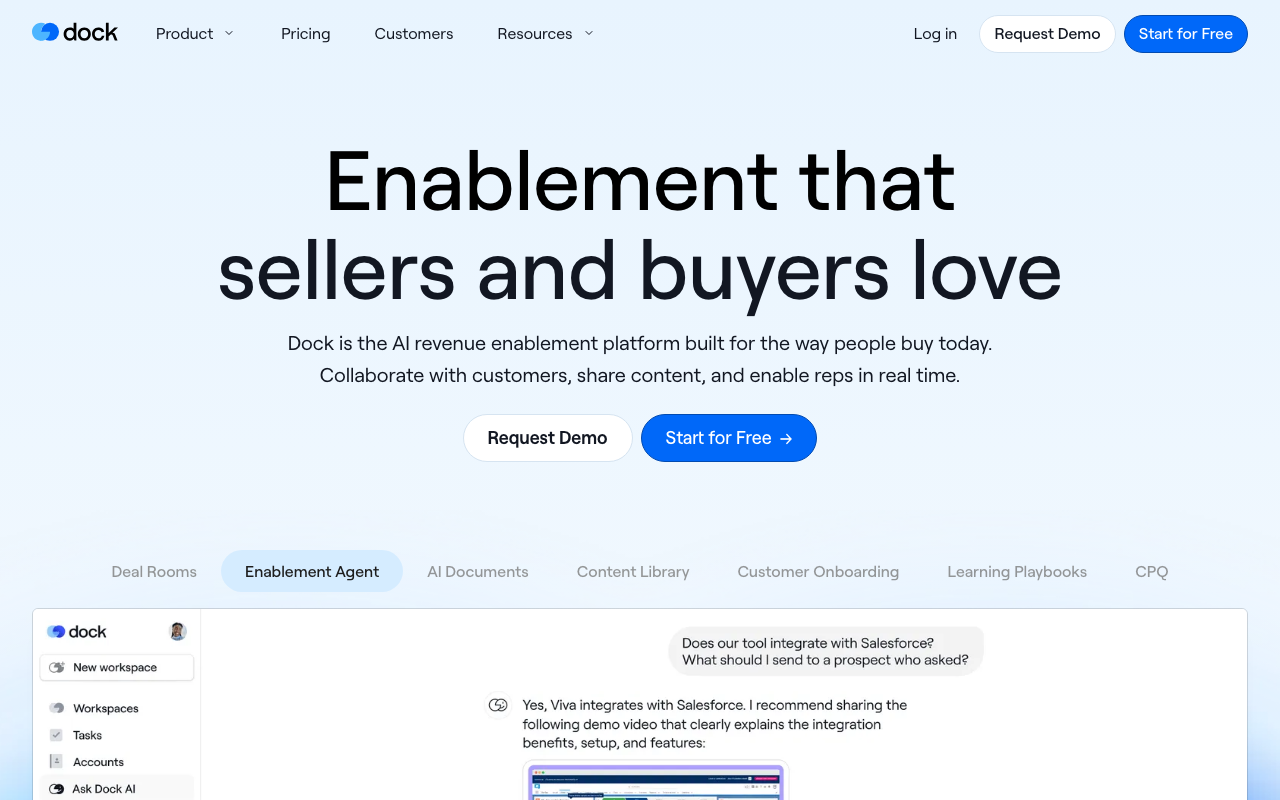
Dock is a revenue enablement platform built around collaborative workspaces that span the full customer lifecycle — from initial deal rooms through onboarding and ongoing account management. Founded in 2021, it has carved out a niche with B2B sales teams who want to replace scattered follow-up emails and Google Drive folders with a single, trackable link they can share with prospects and clients.
What Dock actually does
The core unit is a "workspace" — a branded, shareable page that can contain documents, videos, embedded content, mutual action plans, order forms, and custom sections. Workspaces are templated and auto-personalize based on CRM fields, so reps can spin up a deal room or onboarding plan in minutes rather than building each one from scratch.
AI features are woven throughout. Dock AI can generate proposals, business cases, and follow-up emails from custom prompts using live CRM data. The content library uses AI tagging and search to help reps find the right assets quickly, and it syncs with Google Drive and SharePoint so content doesn't get out of sync.
Key capabilities
- Digital sales rooms — shareable workspaces for active deals with mutual action plans, stakeholder tracking, and engagement analytics
- Customer onboarding — structured onboarding plans with task tracking, milestones, and embedded resources
- Content library — centralized asset management with AI-powered search and tagging
- Learning playbooks — internal enablement guides and sales playbooks alongside external content
- CPQ / order forms — configure, price, and quote directly within a workspace
- CRM automation — HubSpot and Salesforce integrations can auto-create workspaces, trigger content visibility, and complete tasks based on deal stage changes
- White-labeling — remove Dock branding on higher-tier plans
Analytics track what buyers engage with at a granular level — which pages they viewed, how long they spent, and when they brought in new stakeholders. This visibility into the buyer journey is cited frequently as a differentiator by users.
Pricing
Dock has a free plan that includes 50 workspaces and basic integrations (Slack, Loom, PandaDoc). It's genuinely usable, not a stripped-down trial.
Paid plans aren't fully itemized on the public pricing page, but the structure is:
- Standard — 5 users, unlimited workspaces, basic CRM (HubSpot & Salesforce), advanced integrations (Gong, Chorus)
- Premium — 10 users, advanced CRM with custom fields and line items, content management, learning playbooks, order forms, white-labeling, webhooks, priority support
- Enterprise — custom pricing
Additional seats cost $50/user/month. Critically, external collaborators — clients, prospects, partners — are always free. You only pay for internal team members.
Who it's for
Dock fits B2B SaaS and professional services teams with an outbound sales motion and structured onboarding process. It's particularly well-suited when multiple stakeholders are involved in a deal and you need to track engagement beyond just email opens. Teams at companies like Spotnana, Robin, and Assignar have cited significant improvements in win rates and onboarding completion.
Limitations
Dock is fundamentally a sales and customer success tool that happens to include client portal functionality — not a pure client portal. If you need deep file management, client invoicing, or project collaboration for ongoing retainer work, you'll likely find it underpowered compared to purpose-built portals. White-labeling is gated behind higher-tier plans, and per-seat pricing adds up for larger teams.

Maria Torres
Sales & Revenue Tools Editor
Last verified: 2026-02-25
Compare Dock
Read more
Related tools