ClickUp
Versatile project management platform with client-facing guest access and portals
Pros
- ✓ Incredibly flexible — adapts to virtually any workflow
- ✓ Generous free tier with unlimited tasks and members
- ✓ Guest access lets clients view projects without a paid seat
Cons
- ✗ Not a purpose-built client portal — requires configuration for client-facing use
- ✗ Feature density can be overwhelming for new users
- ✗ Performance can lag with very large workspaces
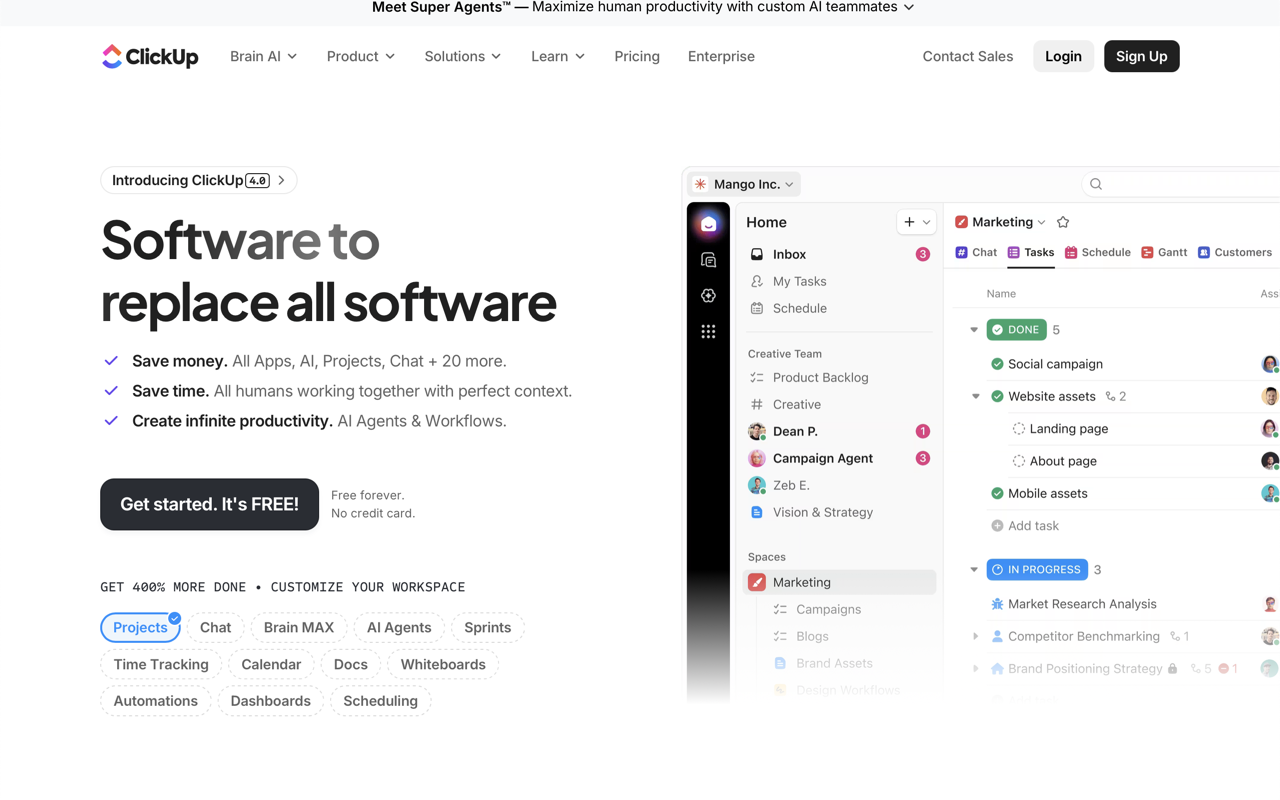
ClickUp is a broad work management platform that positions itself as an "everything app" — combining project management, docs, chat, time tracking, and AI into a single workspace. While not a dedicated client portal tool, it's commonly used to give clients visibility into project progress through its guest access and shared workspace features.
What It Does
At its core, ClickUp organizes work into a hierarchy: tasks, lists, folders, spaces, and workspaces. For client-facing use, teams typically create a dedicated space per client, invite them as guests with restricted permissions, and share specific views — Kanban boards, Gantt charts, dashboards — without exposing internal data. The 15+ view types (List, Board, Calendar, Gantt, Table, Workload, Portfolios) give clients flexible ways to track project status.
Forms let you collect client intake data that automatically creates tasks. Docs and Wikis support shared knowledge bases, SOPs, or deliverable handoff documents. Clips allow async screen recording for feedback, and assigned comments turn client notes into action items.
AI Features
ClickUp has invested heavily in AI. ClickUp Brain connects to your workspace data to answer questions, summarize tasks, and auto-fill fields. "Super Agents" can autonomously handle workflows — assigning tasks, tracking deliverables, sending notifications. An AI Notetaker transcribes meetings and generates action items. These AI features are on a separate pricing tier rather than bundled into the base plans.
Pricing
ClickUp uses a tiered model billed per user per month (annual billing):
- Free Forever — unlimited tasks and members, 60MB storage, 1 form, basic features
- Unlimited — $7/user/month — unlimited storage, integrations, Gantt charts, custom fields, guest permissions, native time tracking
- Business — $12/user/month — Google SSO, unlimited dashboards and whiteboards, workload management, more automations
- Enterprise — custom pricing — white labeling, HIPAA, SCIM provisioning, custom roles, advanced permissions, data residency (US/EU/APAC)
AI is priced separately on top of the base plan: - Brain AI — $9/user/month — unlimited Brain assistant, access to ChatGPT/Gemini/Claude models - Everything AI — $28/user/month — adds ambient answers, AI notetaker, AI automations, image generation
The free tier is genuinely usable for small teams, but guest permissions and unlimited integrations require at least the Unlimited plan.
Compliance and Security
ClickUp holds SOC 2 Type II and ISO 27001 certifications, and is GDPR and HIPAA compliant (HIPAA available on Enterprise). It offers 99.99% uptime SLA and 24/7 support. SSO and SCIM provisioning are Enterprise-only, which is a meaningful limitation for larger organizations on lower tiers.
Integrations
ClickUp connects with 1,000+ apps natively, including Slack, Google Drive, GitHub, Salesforce, HubSpot, Jira, Zoom, and more. It also offers a REST API, webhooks, and an MCP (model context protocol) server for direct AI tool integration. Automation integrations with external apps require the Business plan or higher.
Limitations for Client Portal Use
ClickUp isn't purpose-built for client portals. The guest experience can feel complex — clients inherit ClickUp's full interface rather than a streamlined, branded portal. White labeling is Enterprise-only, so on lower tiers, clients see ClickUp branding throughout. Client onboarding workflows require manual setup rather than guided templates. For teams wanting a polished, client-facing experience with custom domains and simplified navigation, dedicated portal tools will generally outperform ClickUp out of the box.
Where ClickUp excels is for teams already managing projects internally who want to extend limited visibility to clients without adopting a separate tool — particularly on the Unlimited or Business plans where guest permissions, forms, and dashboards are available at a competitive price point.

Sarah Chen
Agency & Freelancer Tools Editor
Last verified: 2026-02-25
Compare ClickUp
Related tools