Best Client Portals for Accounting Firms in 2026
The top portal tools built for accountants — comparing TaxDome, SmartVault, Karbon, Financial Cents, and Client Hub on security, document exchange, and tax season workflows.

James Whitfield
2026-02-18
If you run an accounting firm, your client portal isn't optional — it's where tax documents, financials, and sensitive data change hands every single day. The wrong tool means chasing clients over email for W-2s and bank statements. The right one makes document collection feel automatic and keeps your firm compliant without extra effort.
The problem is that most "client portal" tools are built for agencies or SaaS companies. They don't understand accounting workflows — things like engagement letters, tax organizers, 1099 collection, or integration with your tax prep software. The five tools below do.
TaxDome — The all-in-one for tax and accounting firms
TaxDome has become the dominant portal platform for tax and accounting firms, and it's easy to see why. It's not just a portal — it's a full practice management suite built around the client experience. Your clients get a branded portal and mobile app where they upload documents, sign engagement letters, pay invoices, and answer questionnaires. Your team gets CRM, workflow automation, and pipeline tracking.
Key strengths:
- Automated document requests — create templated organizers for tax returns, bookkeeping onboarding, or any recurring engagement. Clients get reminders until everything is submitted.
- IRS-compliant e-signatures — built-in KBA (knowledge-based authentication) signatures that meet IRS requirements for e-filing authorization.
- Client mobile app — clients can photograph and upload documents from their phone, which dramatically improves response rates during tax season.
- Workflow automation — trigger tasks, emails, and status changes automatically as clients complete portal actions.
Pricing: Starts at $66/month per user (billed annually). No per-client fees. Best for: Tax firms and full-service accounting practices that want one platform for everything.
SmartVault — Document management and secure file exchange
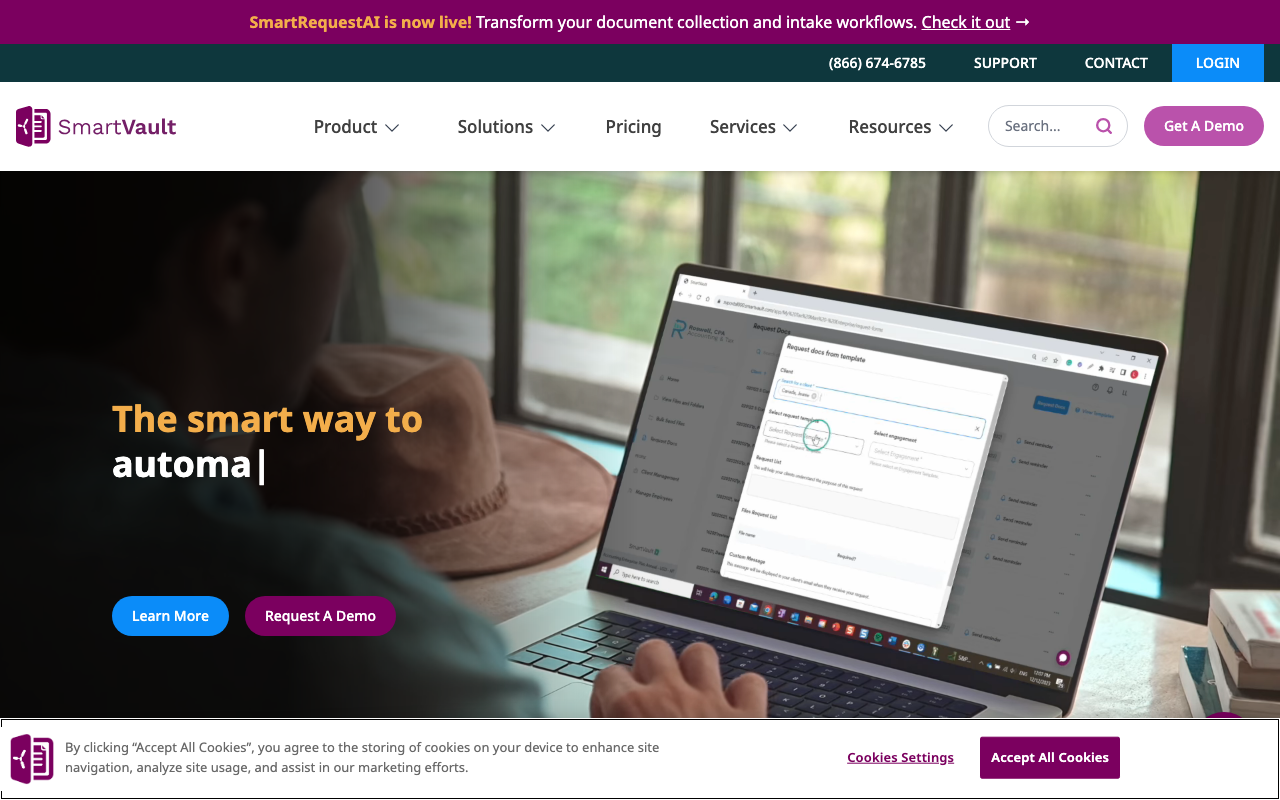
SmartVault takes a different approach — it focuses on being the best document management and exchange layer for your firm, rather than trying to replace your entire tech stack. If you already have a practice management tool and just need a secure way to send and receive files, SmartVault is purpose-built for that.
Key strengths:
- Deep integrations — connects directly to QuickBooks, Lacerte, Drake, and other accounting software. Documents flow into the right client folders automatically.
- Folder templates — set up standardized folder structures for each engagement type so every client's documents are organized the same way.
- Client portal with drag-and-drop upload — clients get a simple, branded portal that doesn't require training to use.
- DRL (Document Request List) — send clients a checklist of exactly what you need, with individual upload slots for each item.
Pricing: Starts at $28/month per user. Portal access for clients is included. Best for: Firms that already have workflow tools and need a dedicated, secure document exchange layer.
Karbon — Practice management with built-in client collaboration
Karbon is a practice management platform that includes client communication and document requests as part of a broader workflow system. Unlike TaxDome, which centers around the client portal, Karbon centers around internal workflow management — with client-facing features layered on top.
Key strengths:
- Work management — track every engagement with templates, task assignments, due dates, and status boards. The client-facing piece ties directly into your team's workflow.
- Email integration — Karbon pulls client emails into the platform so communication is centralized, even if clients don't use the portal.
- Client tasks — assign specific tasks to clients (upload this document, answer these questions) with automated follow-ups.
- Triage inbox — a shared team inbox that prevents client requests from falling through the cracks.
Pricing: Starts at $59/month per user (Team plan). Client portal features require the Business plan at $89/month per user. Best for: Firms that prioritize internal workflow management and want client collaboration built into that system.
Financial Cents — Built specifically for bookkeepers
Financial Cents targets bookkeeping firms specifically, and it shows. The platform combines workflow management with a client portal designed around the recurring nature of bookkeeping work — monthly document collection, ongoing communication, and status tracking.
Key strengths:
- Recurring document requests — set up monthly requests for bank statements, credit card statements, and receipts that go out automatically.
- Automated reminders — the system follows up with clients on your behalf, escalating from gentle nudges to urgent requests based on your schedule.
- Workflow templates — pre-built templates for common bookkeeping engagements that include both internal tasks and client-facing requests.
- Affordable pricing — significantly cheaper than TaxDome or Karbon for small bookkeeping practices.
Pricing: Starts at $49/month for up to 20 clients. Scales based on client count. Best for: Bookkeeping firms and small practices that need automated recurring document collection.
Client Hub — Lightweight portal for firms that already have a stack
Client Hub offers a focused portal experience for accounting firms that want document collection and client messaging without switching to a new practice management suite. It's designed to complement your existing tools, not replace them.
Key strengths:
- Simple client experience — clients log in, see what's needed, upload documents, and message your team. No clutter.
- Document request workflows — create request lists with descriptions, due dates, and automated reminders.
- Secure messaging — threaded conversations tied to specific clients and engagements, keeping everything out of email.
- Quick setup — you can have a working portal in an afternoon, with no migration or complex configuration.
Pricing: Starts at $49/month for small firms. Per-client pricing available. Best for: Firms that already use a workflow tool (like Jetpack Workflow or Canopy) and just need the client-facing portal piece.
How to choose
| Need | Best pick |
|---|---|
| All-in-one practice management + portal | TaxDome |
| Secure document exchange alongside existing tools | SmartVault |
| Internal workflow management with client tasks | Karbon |
| Recurring bookkeeping document collection | Financial Cents |
| Lightweight portal that complements your stack | Client Hub |
What to evaluate
Before committing, test these with a real client engagement:
- Compliance — does the tool meet SOC 2 or equivalent security standards? Your clients' financial data demands it.
- Document requests — can you create templated request lists for your most common engagements? How good are the automated reminders?
- Integrations — does it connect to your tax prep software, QuickBooks, and practice management tools?
- Client experience — have a non-technical client test the upload process. If they can't figure it out in two minutes, response rates will suffer.
Next steps
Start with TaxDome if you want the complete package, or SmartVault if you just need secure document exchange layered onto your current setup. Browse all options in our accounting vertical to compare features and pricing side by side.
More from the blog
Best Airtable Client Portals in 2026
A roundup of the best tools for building client portals on top of Airtable in 2026.
2026-02-25
Client Onboarding Portals: Stop Chasing Documents
How onboarding portals replace messy email chains with structured intake, task checklists, and automated document collection — comparing GuideCX, Clustdoc, Content Snare, OnRamp, Arrows, and Rocketlane.
2026-02-24
What Is a Digital Sales Room (And Do You Need One)?
Digital sales rooms explained — what they are, how they work, and the best tools for replacing email attachments with a shared buyer experience.
2026-02-22